See who is affected
From the regulation through your control to the workload and its evidence. When something changes, you see at once which workloads are affected.
GRC for cloud and AI workloads
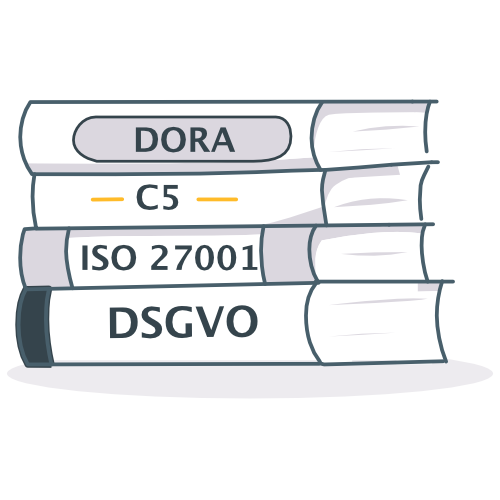
GovHub turns DORA, ISO 27001, the EU AI Act and your own policies into testable requirements for every workload – whether application, AI use case or SaaS tool – and shows at any time what is in place and what is missing.
One catalog for every framework you answer to
The problem
Compliance receives abstract rules and cannot assess the technology. Engineering implements, but cannot show whether it is enough. In between: spreadsheets, meetings and guesswork.
“Encrypt your data” leaves 80 ways open. Which one is enough?
When a requirement changes, nobody knows which workloads are affected.
Whether requirements are met only shows in the audit – then everyone hunts for evidence.
Workloads reach production before security and data protection have signed off.
You break the regulation down into your own control that says exactly what to do – such as “encrypt databases with your own key, rotate keys yearly”. And it applies only where it is needed.
| Workload type | Normal | High | Very high |
|---|---|---|---|
| Cloud application | 18 | 41 | 63 |
| SaaS | 12 | 29 | 47 |
| AI use case | 27 | 55 | 82 |
| AI tool | 16 | 35 | 58 |
GovHub links every requirement to the workloads it applies to and the evidence that meets it.
From the regulation through your control to the workload and its evidence. When something changes, you see at once which workloads are affected.
A searchable catalog instead of scattered spreadsheets. Every change becomes a new version; evidence for the old version is marked outdated.
Teams attach evidence per control. What cannot be met is accepted as a risk – for a limited time only.
Status per workload and framework: what is proven, what is missing, which approvals expire. Every decision is logged.
Everything connected
Your workloads sit in a CMDB, your teams in the org chart, your policies in PDFs and your cloud in the console. GovHub links them – and that answers questions no single tool can.
Questions GovHub answers (example)
DORA Art. 9 reaches the Payments API through control CTL-0087.
The Payments team owns the workload; SecOps answers for information security.
Per workload and framework: what is proven, what is open, which approvals expire.
Google Cloud project prj-payments-prod, using Cloud SQL and Cloud Run.
You define the stages once, such as privacy and security. Every matching workload passes through them – approved by the right people.
Register the workload, pick its type, answer a few questions.
IntakeConditional questions trigger a privacy impact assessment only when personal data is actually processed.
GDPR checkSecurity and compliance review the applicable controls and proof. Multi-eyes approval, separation of duties built in.
Four-eyesApproved and live. Approvals carry an expiry date; then GovHub reopens the stage.
Audit-readyThe AI reads your docs and proposes – your experts decide, every proposal with its source.
Control Quality Reviewer
Finds vague wording, duplicates and gaps across a framework and proposes clearer, testable controls as change proposals.
Change proposals
The assistant drafts new or clearer controls as change proposals. You accept, edit or discard them.
Evidence Analyst
Reads the workload's Confluence pages, GitHub repositories, URLs and uploads and proposes proof for open controls — only with verified citations.
Open interface (MCP)
Connect your own AI client through the Model Context Protocol. It signs in with OAuth 2.1 and you consent per app. It reads frameworks, controls, workloads and compliance, creates and updates workloads, submits proof and lifecycle steps and decides AI suggestions – approvals stay in GovHub.
What's in it for me
Compliance, engineering, approvers and leadership work on the same connected data. Each gets the view that answers their question.
Break regulations down into your own controls once, map each to the frameworks you answer to and see per workload what is proven, what is open and which approvals expire.
You get clear, testable tasks for your workload instead of paragraphs. Attach proof where you already work, and let the evidence assistant suggest it from your repositories and Confluence pages.
A submission reaches you only when a stage needs your decision. You see the answers, the controls and the proof behind them – then approve with four-eyes and an expiry date.
See which workloads are audit-ready, where a risk has been accepted and what still blocks a go-live – per framework, in one place.
Your landscape
Start where the pressure is highest – today often the EU AI Act. The same requirements, evidence and approvals then carry your cloud workloads and SaaS tools.
Register every AI use case with risk tier and owner. The EU AI Act and your AI policy apply as requirements; before launch an approval stage checks documentation, oversight and privacy.
GovHub reads from Google Cloud which services your workloads use and flags services you allow only with conditions.
Every third-party tool your teams adopt gets a lightweight intake, a protection class and the vendor controls that match. Renewals run on schedule instead of on memory.
Proof of value
No big-bang rollout. We start with one real workload and one framework and show you the answer before you decide.
Choose a workload that hurts today – an AI use case or a payment service – and the framework it has to meet.
In the session, with you: your policy or regulation becomes clear controls, mapped to the workload.
Right there you see which controls apply, who is responsible and which evidence is still missing.
You judge whether GovHub answers the questions your audit asks – and which workloads follow next.
Security & trust
Runs in Frankfurt on Google Cloud, with EU-resident AI models.
Through the Model Context Protocol (MCP), AI assistants such as Claude work directly with GovHub – only with your consent per app.
Each organisation’s data is strictly separated. Cloudpilots sees it only with your explicit release.
Published versions never change. Every decision is recorded in the audit log.
FAQ
Any framework you can describe as requirements: regulations such as DORA, NIS2, the EU AI Act and GDPR, standards such as ISO/IEC 27001, BSI C5 or PCI DSS, and your own internal controls. Cloudpilots maintains a curated global catalog you can activate; your own frameworks live alongside it.
No. The assistants only propose. Every suggestion — a clearer control text, an update after a framework revision or a proof assessment — waits in an inbox until a person accepts, edits or dismisses it. Proof suggestions always carry citations to the source they are based on.
You decide per control which workload types and protection classes it applies to. Without a rule it applies to all. Only controls of activated frameworks count.
GovHub runs in Frankfurt on Google Cloud and is operated by Cloudpilots, who reach your data only with your explicit release. AI features use EU-resident models, and secrets found in your sources are redacted before anything is indexed.
Yes. Any client that speaks the Model Context Protocol can connect; it signs in with OAuth 2.1 and you consent per app. It can read frameworks, controls, workloads, compliance and cloud data, create and update workloads, submit proof and lifecycle steps, decide AI suggestions and set responsibilities. Reviewing proof, deciding lifecycle steps and managing teams stay in GovHub.
Confluence pages, GitHub repositories, URLs and uploaded files. Secrets are redacted before anything is indexed, and the assistant only proposes – a person decides.
No. Every AI run has a token budget, so a single run cannot grow without limit.
Yes. Controls, frameworks and workloads can be brought in through the API and the built-in editors. Ask your Cloudpilots contact about a guided migration.
See GovHub with your own frameworks and workloads. Already a customer? Sign in and pick up where you left off.
Demo requests: contact channel coming soon.